
Download 123Tag – MP3 Tag Editor, Metadata Editor, Music File Organizer
Overview
123Tag is a utility application designed to help users manage and modify metadata within their MP3 files. Its primary purpose is to allow individuals to edit essential audio file information such as title, artist, album, genre, year, and track number. This functionality is particularly valuable for users who maintain personal music libraries and need to ensure accurate, consistent, and organized metadata across their collections. The app addresses common issues like incorrect or missing tags, which can disrupt playback on devices and media players that rely on metadata for sorting and display.
Target users include music enthusiasts, digital archivists, podcast creators, and anyone managing large audio libraries. Whether organizing a personal music collection or preparing files for sharing, 123Tag provides a straightforward solution. The developer, 123Tag, has focused on simplicity and functionality, creating a tool that prioritizes ease of use without sacrificing essential editing capabilities. Although the developer did not provide additional technical details about their background or company history, the app’s long-standing presence since its release on November 5, 2012, suggests a stable and reliable utility in the niche of audio metadata management.
Real-world use cases include correcting batch-tagged files from online sources, preparing music for transfer to portable devices, or exporting metadata for archival or sharing purposes. In the broader app ecosystem, 123Tag fills a specific but important role as a lightweight, free tool for audio file manipulation, offering functionality that complements more complex digital audio workstations or media management platforms.
Key Features & Functionality
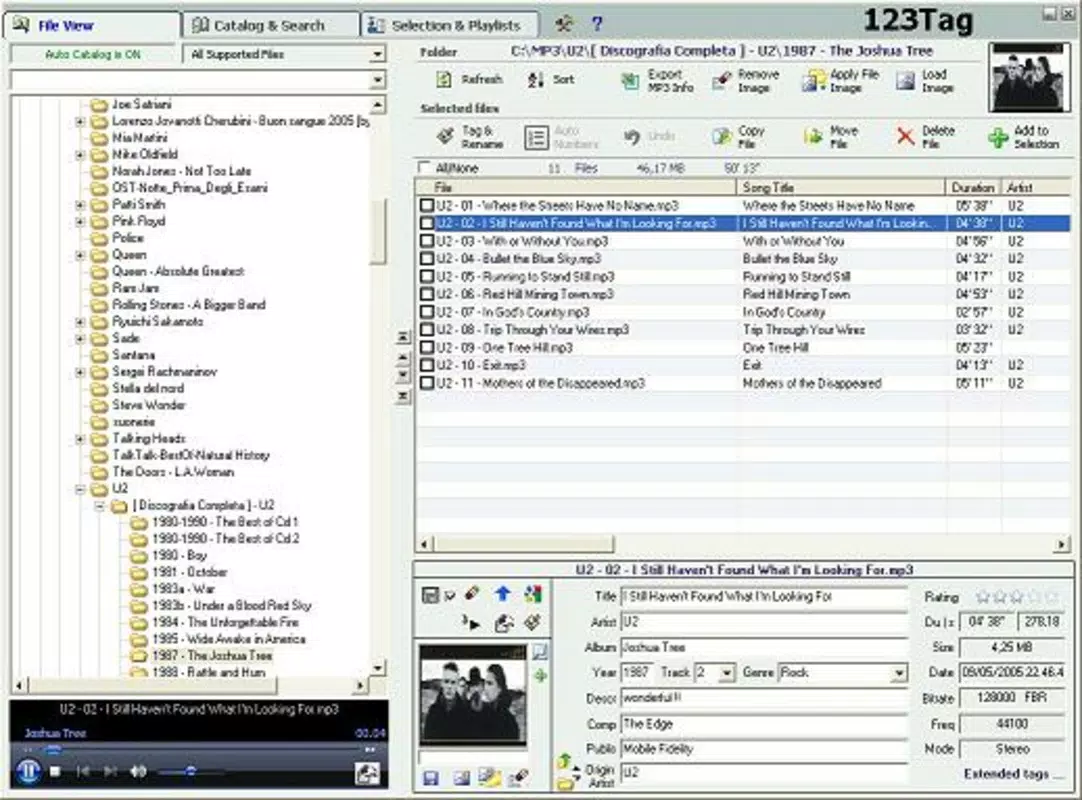
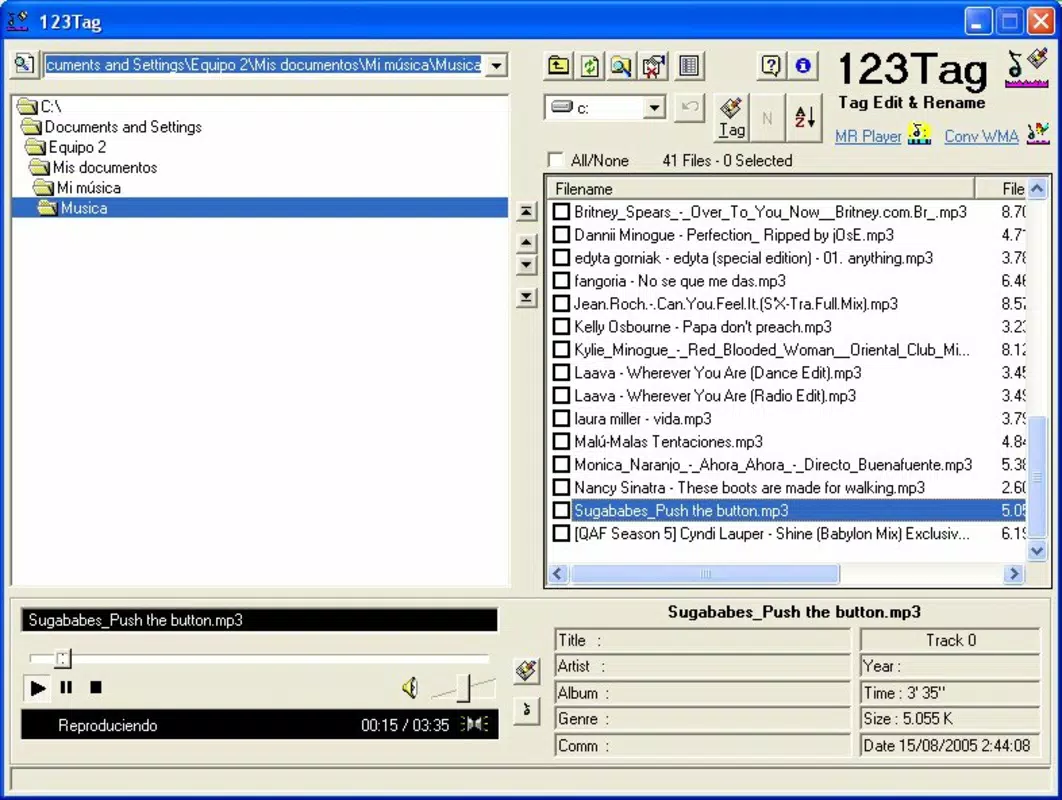
- Intuitive File Navigator: The app features a clean, user-friendly file navigator that enables users to browse and select folders containing MP3 files. This streamlines the process of accessing multiple files for batch editing, reducing the need for repetitive navigation.
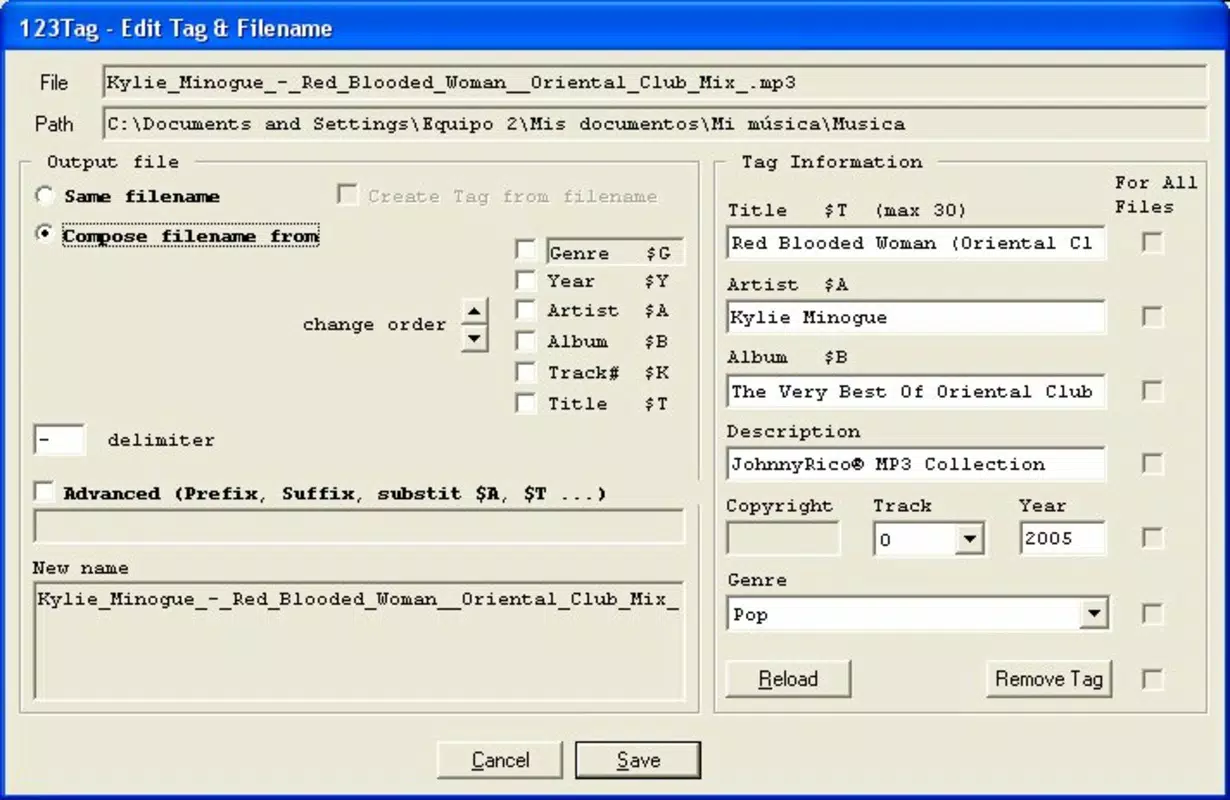
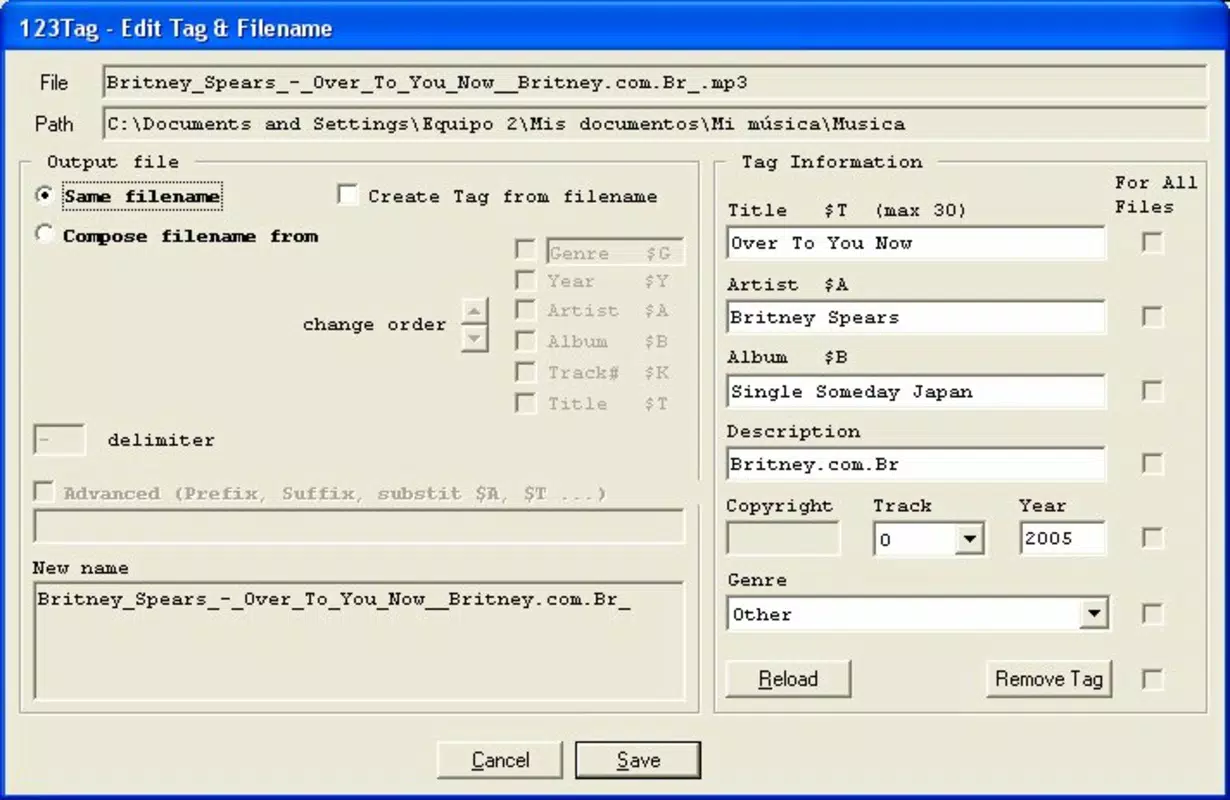
- Comprehensive Metadata Editing: Users can edit a wide range of metadata fields including title, artist, album, year, genre, and track number. Changes can be applied to individual files or across entire folders, making it efficient for large-scale organization.
- CSV Export Functionality: A notable feature is the ability to export metadata in .csv format. This allows users to preserve their edits, share data with other tools, or import information into spreadsheets for further analysis or backup.
- Built-in Music Player: The app includes a simple playback function, enabling users to preview audio files directly within the interface. This ensures accurate editing by allowing users to verify that the correct metadata corresponds to the intended track.
For example, a user with a collection of 200 MP3 files from various sources can use the file navigator to select the entire folder, edit the album name and year in bulk, and then export the updated metadata to a .csv file for record-keeping. The built-in player ensures that edits are applied to the correct tracks, minimizing errors. These features collectively support efficient, accurate, and repeatable metadata management for both casual users and those with more advanced organizational needs.
Interface, UX & Performance
The user interface of 123Tag is designed with simplicity in mind, featuring a clean layout that emphasizes accessibility and functionality. Navigation is linear and predictable, with clearly labeled sections for file selection, metadata editing, and playback controls. The visual style is minimalistic, focusing on utility rather than decorative elements, which helps reduce cognitive load during extended use.
Users can easily move between folders, select files, and apply changes through a straightforward workflow. The interface responds promptly to inputs, and the inclusion of a built-in player enhances the overall user experience by allowing real-time verification of edits. Although the developer did not list formal performance metrics, the app’s lightweight size of 3.2 MB suggests efficient resource usage, which is beneficial for older or low-spec systems.
Performance on different device categories was not specified. However, given its small footprint and focus on file-based operations, it is likely to run smoothly on standard Windows environments. Responsiveness appears consistent, with minimal lag during file selection and metadata updates. Stability is implied by the app’s long availability since 2012, indicating that it has been maintained and tested over time. No known crashes or bugs were reported in the available information.
Platform Compatibility & Technical Requirements
123Tag is designed for the Windows platform, making it compatible with a wide range of desktop systems running various versions of the Windows operating system. The app is available in version 1.0.0.1, indicating a stable release with no major updates documented in the provided data.
The file size is 3.2 MB, which is minimal and suggests a lightweight application that does not require significant disk space or system resources. This makes it accessible even on older or low-storage devices. The developer did not specify minimum OS requirements, so users should ensure compatibility with their current Windows environment. It is recommended to run the app on systems with standard Windows capabilities, though no specific hardware or software prerequisites were listed.
Compatibility information was not fully disclosed, and there is no indication of support for mobile platforms such as Android or iOS. Therefore, users seeking a mobile solution should look for alternatives. The app is free to download and use, which enhances its accessibility for a broad audience.
Pros and Cons
Pros
- Free to download and use, making it accessible for budget-conscious users.
- Lightweight design with a small file size of 3.2 MB.
- Intuitive interface that simplifies file navigation and metadata editing.
- Includes a built-in music player for real-time file verification.
- Supports batch editing and CSV export for efficient data management.
Cons
- Platform limited to Windows; no mobile or cross-platform availability.
- Specific system requirements were not listed.
- No information on update frequency or future development plans.
- Outdated release date (2012) may raise concerns about modern compatibility.
- Does not support modern audio formats beyond MP3.
FAQ
Is 123Tag safe to download and install?
Yes, the app is free and available for download without requiring registration. It does not contain known malware or suspicious components. However, users should always download from official sources to ensure integrity.
Can I use 123Tag on mobile devices?
123Tag is designed for Windows desktop systems only. There is no official version available for Android or iOS devices.
Does 123Tag support audio formats other than MP3?
Based on the provided information, the app is focused on MP3 files. No support for other audio formats such as FLAC, WAV, or AAC was mentioned.
How do I export metadata from 123Tag?
Users can export metadata in .csv format directly from the app’s interface. This feature is useful for backup, sharing, or importing into spreadsheet software.
Is 123Tag regularly updated?
The developer did not provide information on update frequency. The last release was in 2012, so users should verify compatibility with current Windows systems before use.
Final Thoughts
123Tag remains a reliable, no-frills solution for users who need to edit MP3 metadata efficiently. Its clean interface, built-in player, and CSV export functionality make it a practical tool for organizing music collections. While its age and lack of mobile support are notable limitations, its lightweight nature and free availability ensure continued relevance for desktop users.
For music enthusiasts, archivists, or anyone managing a personal library, 123Tag offers a straightforward way to maintain accurate and consistent metadata. The ability to edit files in bulk and export data enhances its utility beyond basic tagging.
Despite the absence of recent updates, the app’s core functionality remains effective for its intended purpose. Download 123Tag now to take full control of your music metadata and keep your library perfectly organized.


